

PDF Region Exporter
Ever needed just part of a PDF? Or wanted to split a huge, single-page PDF into separate sections? Dealing with PDFs can be frustrating, especially when you only need specific regions. That’s why I created the PDF Region Exporter!
Streamlining PDF Re-exporting
The PDF Region Exporter is designed to make PDF manipulation easier. Instead of wrestling with complex PDF editors, upload your document, visually select the regions you need, and export them as a brand new, perfectly cropped PDF.
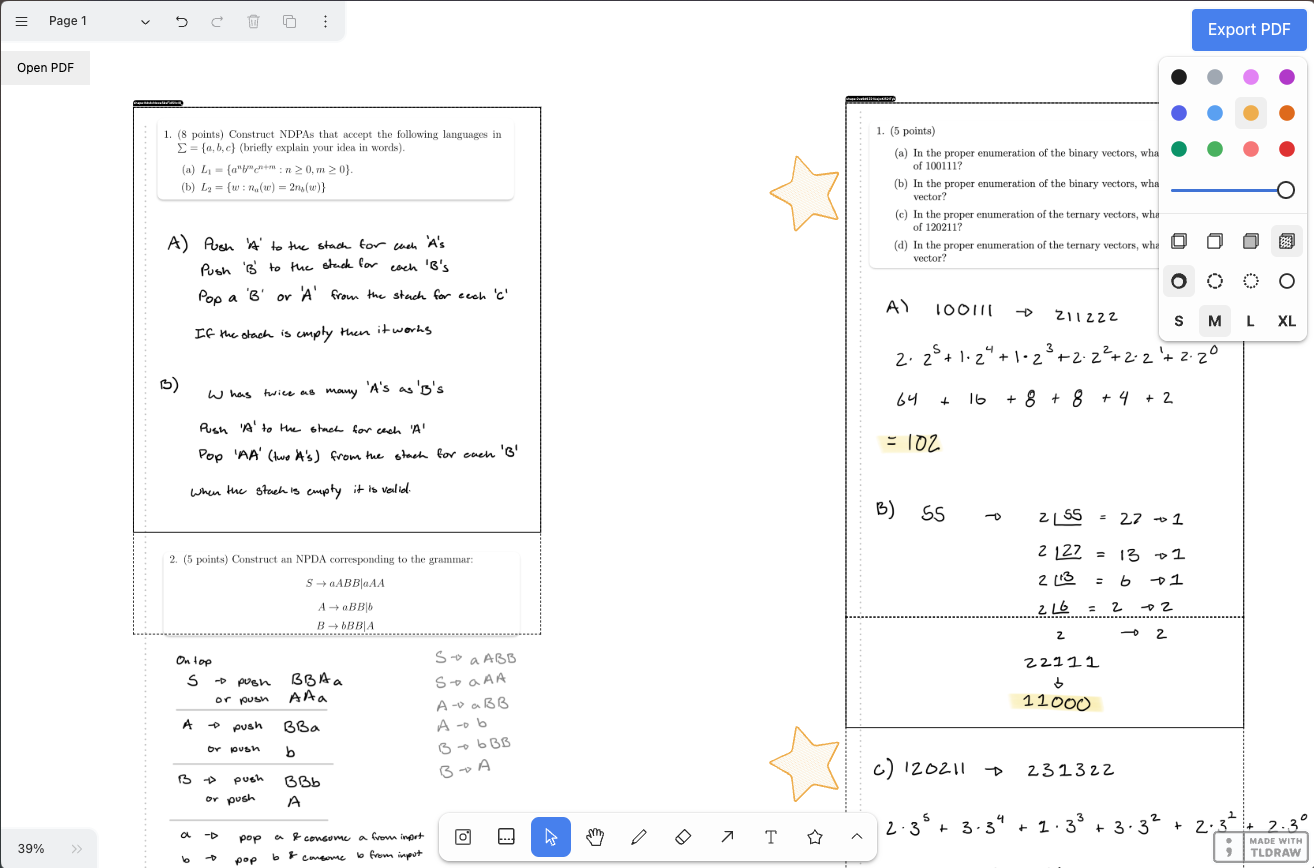
Precise PDF Extraction
The PDF Region Exporter has 2 key features to make PDF region extraction a breeze:
Visual Region Selection with TLDraw 1
The heart of the PDF Region Exporter is an intuitive, canvas-based interface powered by TLDraw 1 . Simply upload your PDF, and TLDraw 1 ’s drawing tools let you annotate and draw directly on the document canvas.
The most important tool in the PDF Region Exporter is the visual region selection tool. Click and drag to create a rectangular region, and the tool will automatically split the selected region into separate pages. This ensures that no content is cut off, even when extracting large sections.
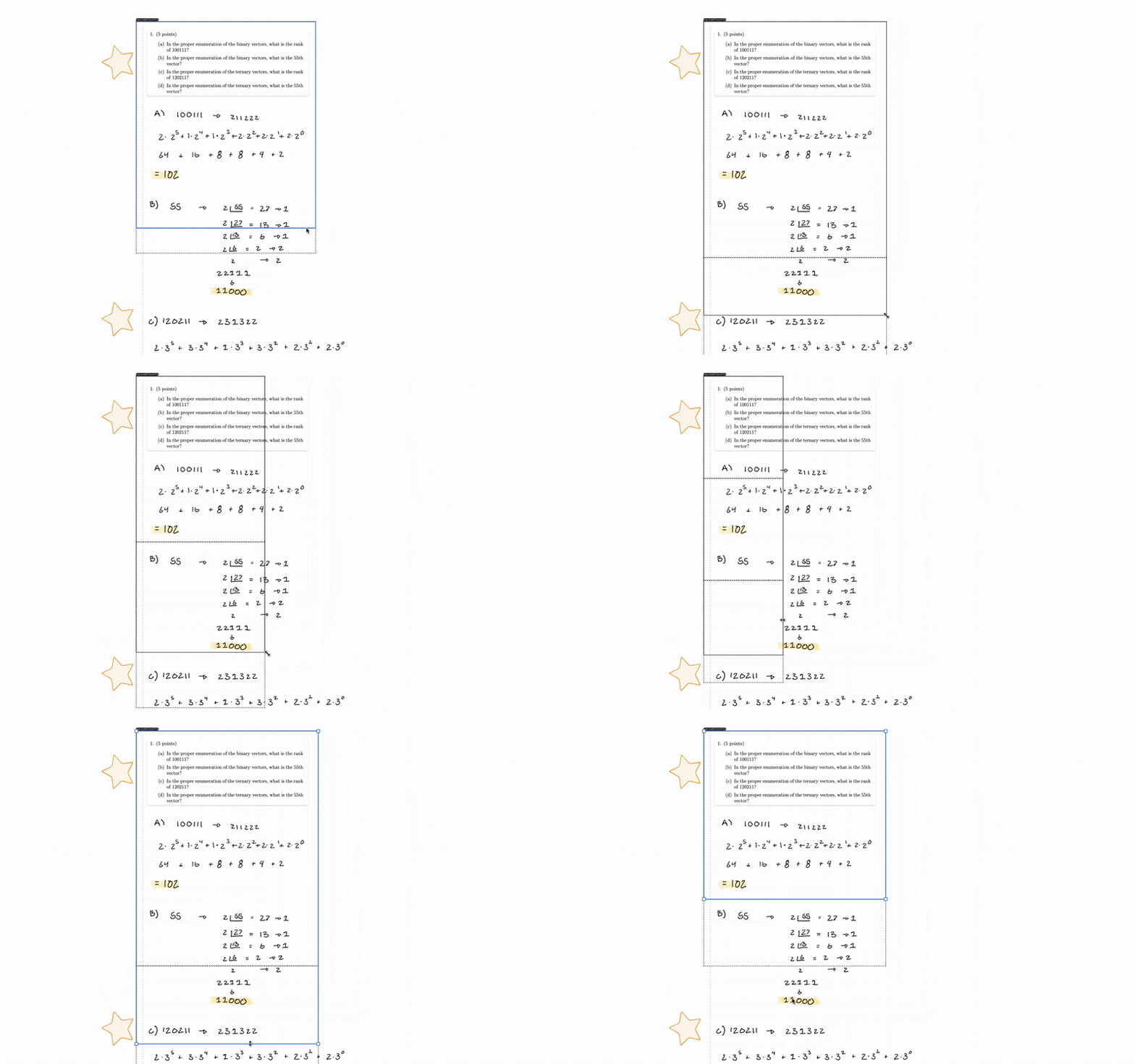
Multi-Region Export
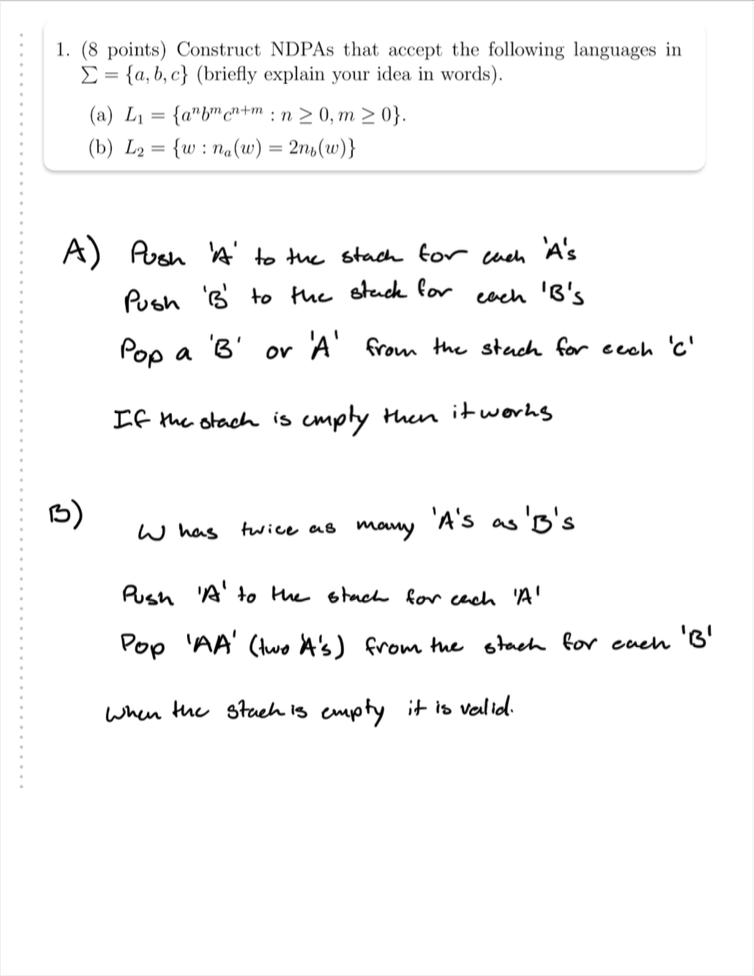
Need more than one section from your PDF? No problem! The PDF Region Exporter allows you to define and export multiple regions from a single PDF document. Each selected region becomes a separate page in the newly generated PDF, creating a multi-page document with only the content you need.
Automatic Page Splitting for Tall Regions
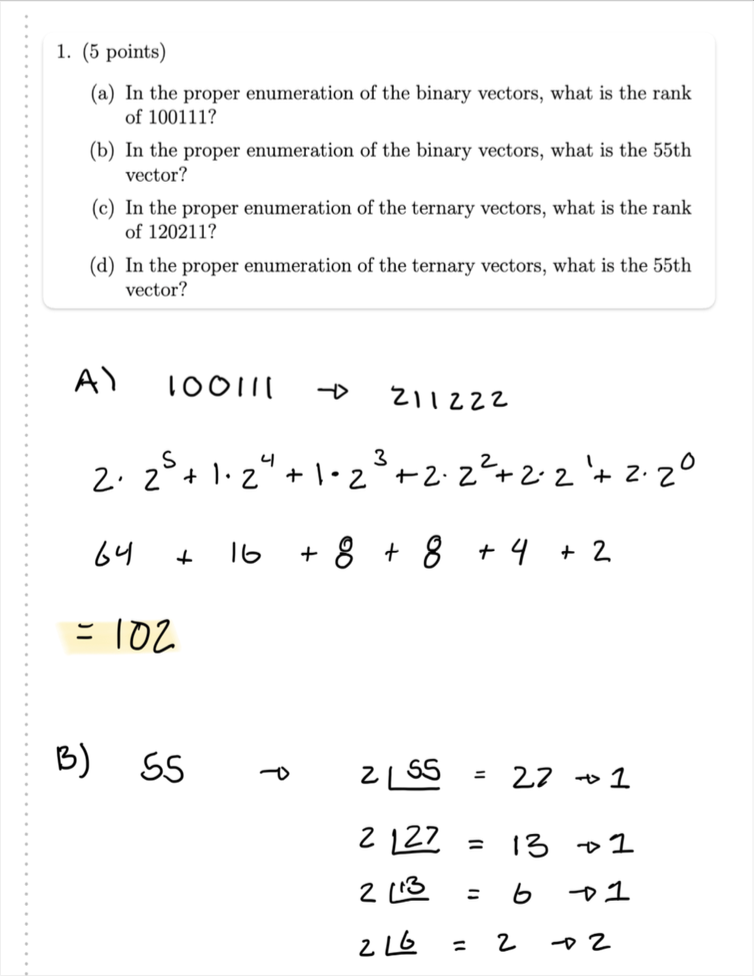
For those extra-tall regions that go beyond standard page sizes (like letter paper), the PDF Region Exporter intelligently splits the selected region vertically across multiple pages. This ensures that no content is cut off, even when extracting large sections.
… when exported, looks like this:

Built with React, TLDraw, and PDF Power
The PDF Region Exporter is built using a robust combination of web technologies: React 2 for the frontend framework, TLDraw 1 for the interactive canvas and drawing capabilities, and PDF-lib 3 and PDF.js-dist 4 for handling the heavy lifting of PDF processing in the browser.
Challenges and Learnings
Developing the PDF Region Exporter presented some interesting challenges, especially around integrating different libraries and handling PDF manipulation in the browser:
Getting TLDraw 1 to work seamlessly for PDF region selection and tailoring its tools for PDF export required diving deep into its API. They have a reasonably extensive extension system for adding new tools, and it took a while to get something working. Plus, hooking that up to the PDF.js library was a bit of a pain. Implementing PDF loading and region-based exporting using PDF-lib 3 and PDF.js-dist 4 involved tackling some interesting canvas challenges related to accurate page splitting for the layout in the exported PDFs. In the end, the PDF is filled with screenshots of the selected regions. I still had a lot of fun with this project and learned a lot along the way.
Key Contributions
- Developed the entire PDF Region Exporter web application from scratch using React and TLDraw, creating a practical PDF utility tool.
- Implemented custom PDF loading and exporting functionalities using PDF-lib and PDF.js-dist, enabling robust PDF processing within the browser.
- Integrated TLDraw library and extended its functionality to create a custom region selection tool specifically for PDF region-based export.
- Designed the user interface and workflow to be intuitive and efficient for quick PDF region extraction and re-export.