From Python Script to Polished macOS Native App
Yes,
macOSis supposed to be lowercase, I Googled it
SpotifySongDisplay is a project that’s close to my heart, not just because I use it every day, but because it represents a journey of iterative development and a passion for UI/UX refinement. It started as a simple Python script, but over multiple versions, it’s evolved into a polished, macOS-native application that seamlessly enhances my Spotify listening experience right in the macOS top menu bar.
Version 1: Humble Beginnings
The first iteration of SpotifySongDisplay was a straightforward Python script that I had a shortcut to on my desktop. It could query the Spotify API and display the current album cover. Here is my initial design in my Figma file with what I wanted the app to look like:
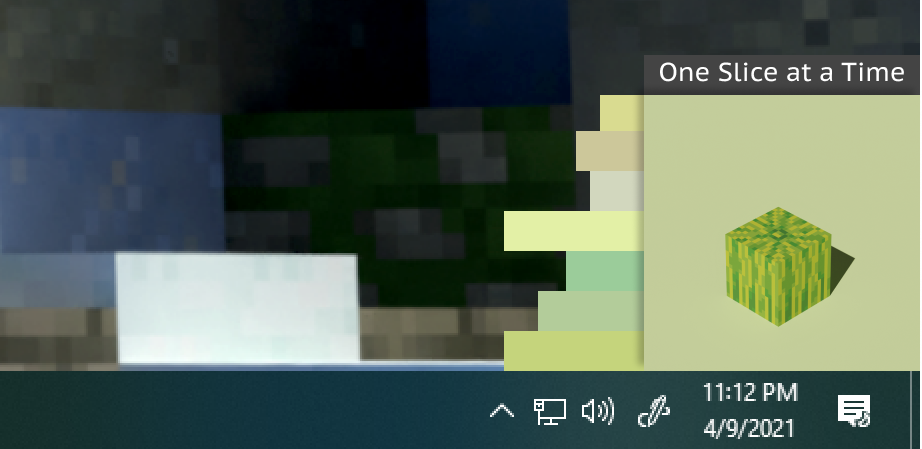
And here is what that version looked like:
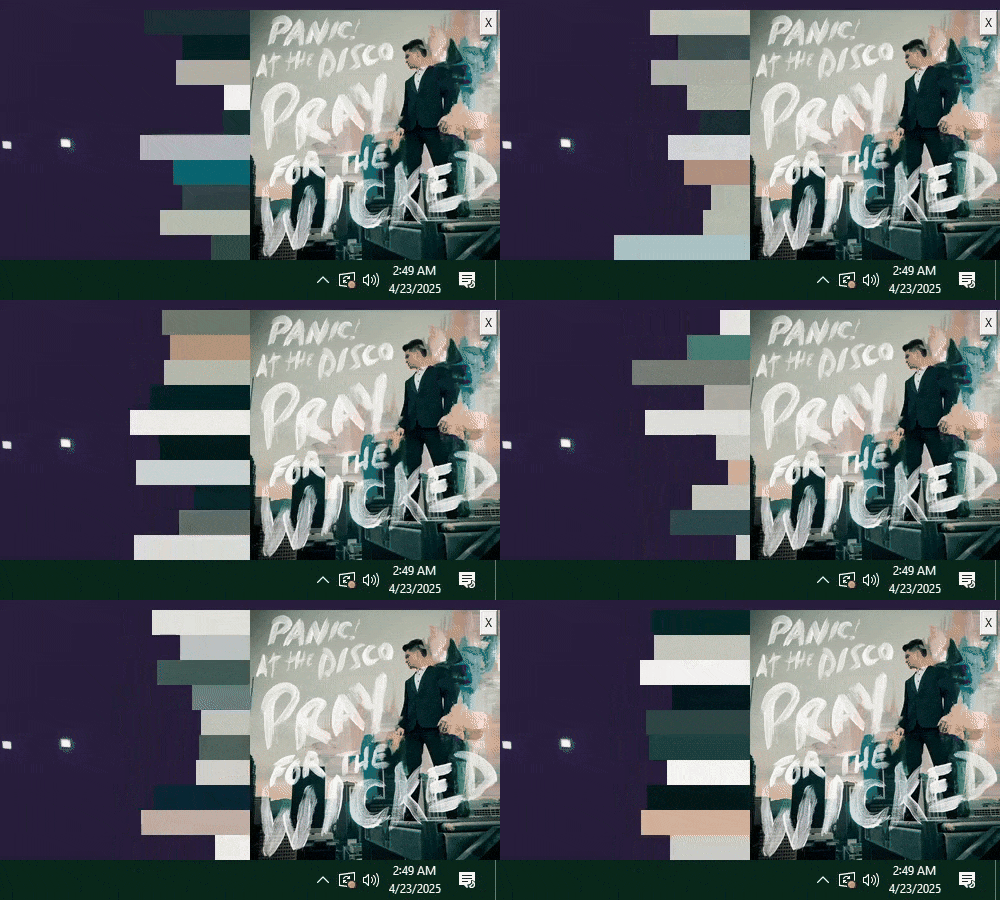
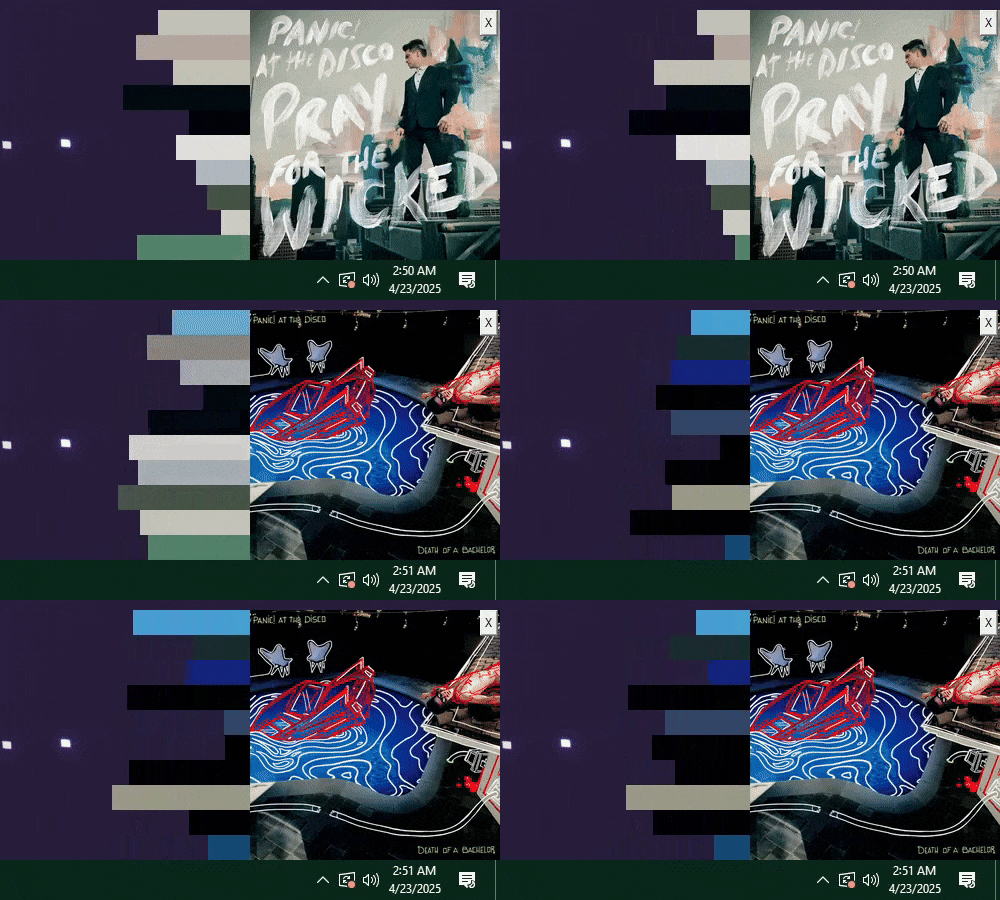
I used Tkinter 1 , Python’s built-in GUI library, and Spotipy 2 , a Python client for the Spotify API, to create a basic window. It could fetch and display the current album art. It can also display the song title, but I have disabled it in these screenshots.
I experimented with a simple waveform visualization using Tkinter’s canvas, trying to add a dynamic visual element. I gave up on real-time audio analysis and instead used random values. Another random feature is its ability to connect to Discord. There is a Discord Bot integration that will detect the currently playing song from another Discord music bot and display it in the SpotifySongDisplay window. This feature was not long-lived because shortly after Discord banned the music bot, I had to remove it.
Version 2: Embracing macOS Native
The latest macOS-native version is all about polish and seamless system integration. I say “seamless” because it still uses Python. Still, to integrate with native macOS features, I use PyObjC 3 to bridge Python and Objective-C, giving me access to the native macOS APIs.
macOS Top-Bar Integration
The defining feature is its integrated design into the macOS top menu bar. Unlike a separate window, SpotifySongDisplay lives right in the system bar, providing a persistent, always-visible display of the currently playing song without ever obstructing your application windows. With this integration, I used the macOS Cocoa Framework 4 to build the window and position it in the top bar.


For the animations and the smooth transitions, I used the Quartz API 5 , which makes the top bar adapt to the album art of the currently playing song. This creates a harmonious and ever-changing visual element that feels integrated with the macOS aesthetic.
Notch-Aware UI with Smooth Animations
For modern MacBooks with the display notch, I implemented notch-aware UI. The color line intelligently wraps around the notch, and smooth Cocoa animations extend into the notch when displaying album art and song titles. On external displays without a notch, the color line continues straight across, unobstructed. This creates a polished and engaging visual transition, making the notch feel less like an obstruction and more like part of the display.
It utilizes Quartz APIs to guarantee the display appears on all connected displays, remains always on top, and integrates smoothly with the macOS windowing system, even when you’re using full-screen applications.
From Python Beginnings to macOS Native Power
The journey of SpotifySongDisplay is a testament to iterative development. It started as a Python desktop application, providing basic functionality with Tkinter 1 for the UI and Spotipy 2 for the Spotify API. But the desire for a truly polished, system-integrated experience led to a complete rewrite as a macOS native application.


The macOS native version leverages PyObjC 3 to bridge Python with Objective-C, allowing access to the powerful Quartz API for UI and animations, and the macOS Cocoa Framework for window management.
Challenges and Learnings: The Iterative Journey
The evolution of SpotifySongDisplay was filled with learning experiences at each stage:
The initial Python/Tkinter version taught me about Tkinter 1 and the fundamentals of window management development. I learned how to interact with the Spotify API 2 .
Rewriting the application for macOS native integration was a deep dive into new technologies. Tackling PyObjC 3 was a challenge, and the Cocoa framework 4 , and Quartz APIs 5 were a significant hurdle but ultimately led to the polished result.
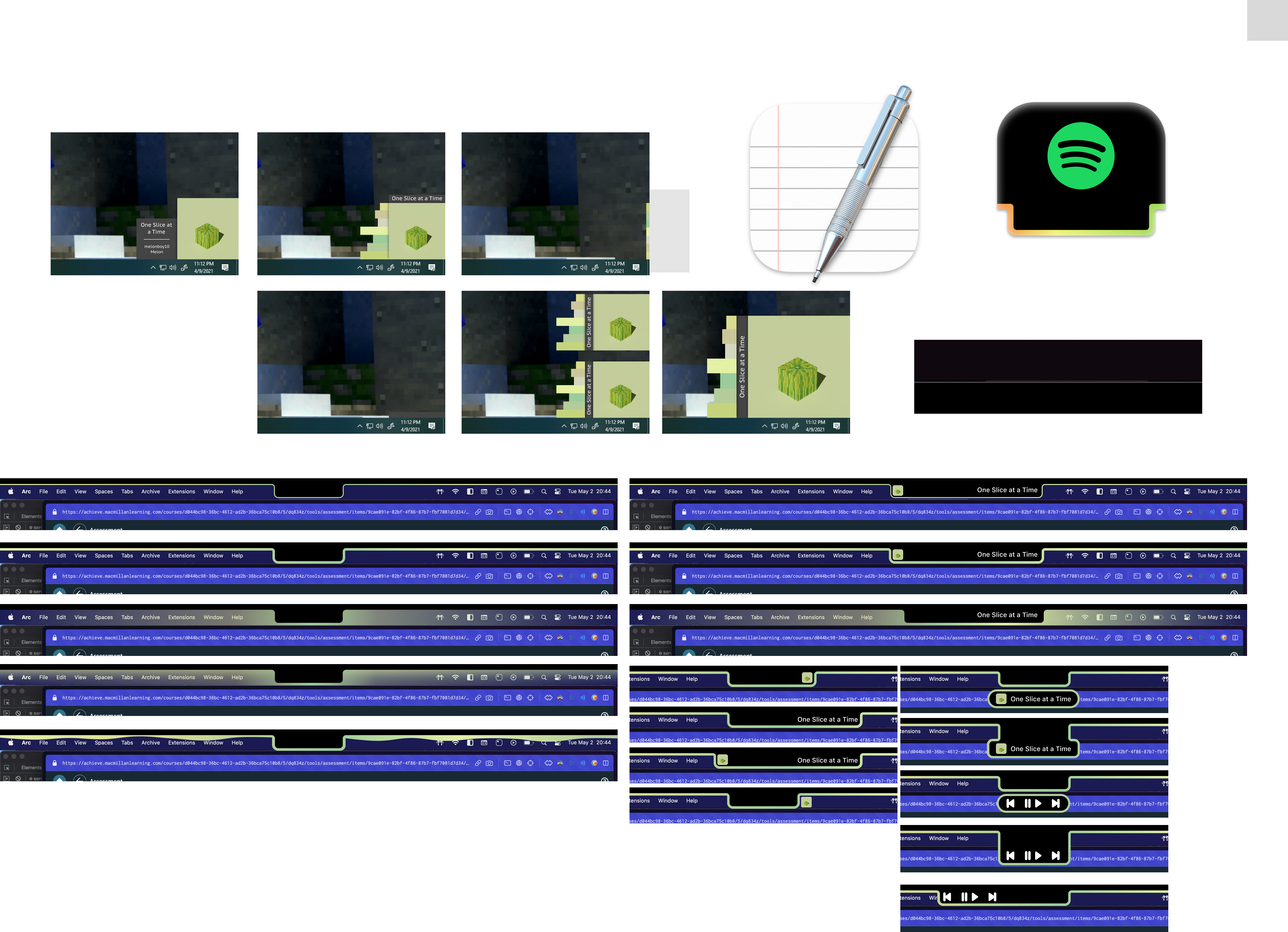
The multi-stage development process shows the kinds of UI/UX design iterations I tend to go through. Continuously refining the visual presentation and system integration across versions helped achieve the final level of polish. In fact, here is a screenshot of my design process:
Key Contributions
- Developed an initial Python-based Spotify song display using Tkinter and Spotipy, establishing core functionality and basic UI concepts.
- Completely redesigned and rebuilt the application as a macOS-native application, leveraging PyObjC, the Cocoa Framework, and the Quartz API for seamless system integration and macOS visual polish.
- Achieved proper macOS top menu bar integration, creating a persistent, system-level Spotify display that feels native to the operating system.
- Implemented dynamic color theming that adapts to album art, creating a visually harmonious and ever-changing macOS aesthetic.
- Designed a notch-aware UI with smooth Cocoa animations, intelligently integrating with modern MacBook displays and enhancing the visual experience.
- Demonstrated a commitment to iterative UI/UX design, continuously refining the application across multiple versions to achieve a high level of polish and user satisfaction.