

A Gift for Mom, A Game for All
My mom loves to play Sudoku, but often becomes frustrated by intrusive ads in mobile Sudoku apps. So, I set out to create a better alternative: a clean, ad-free, and user-friendly Sudoku game accessible to everyone.
That small idea quickly turned into something way bigger than I expected, and before I knew it, I was deep down a rabbit hole learning about Progressive Web Apps 1 that could be installed like a native app. In the end, I created a fun and easy-to-use website that throws at you when you win.
The Website
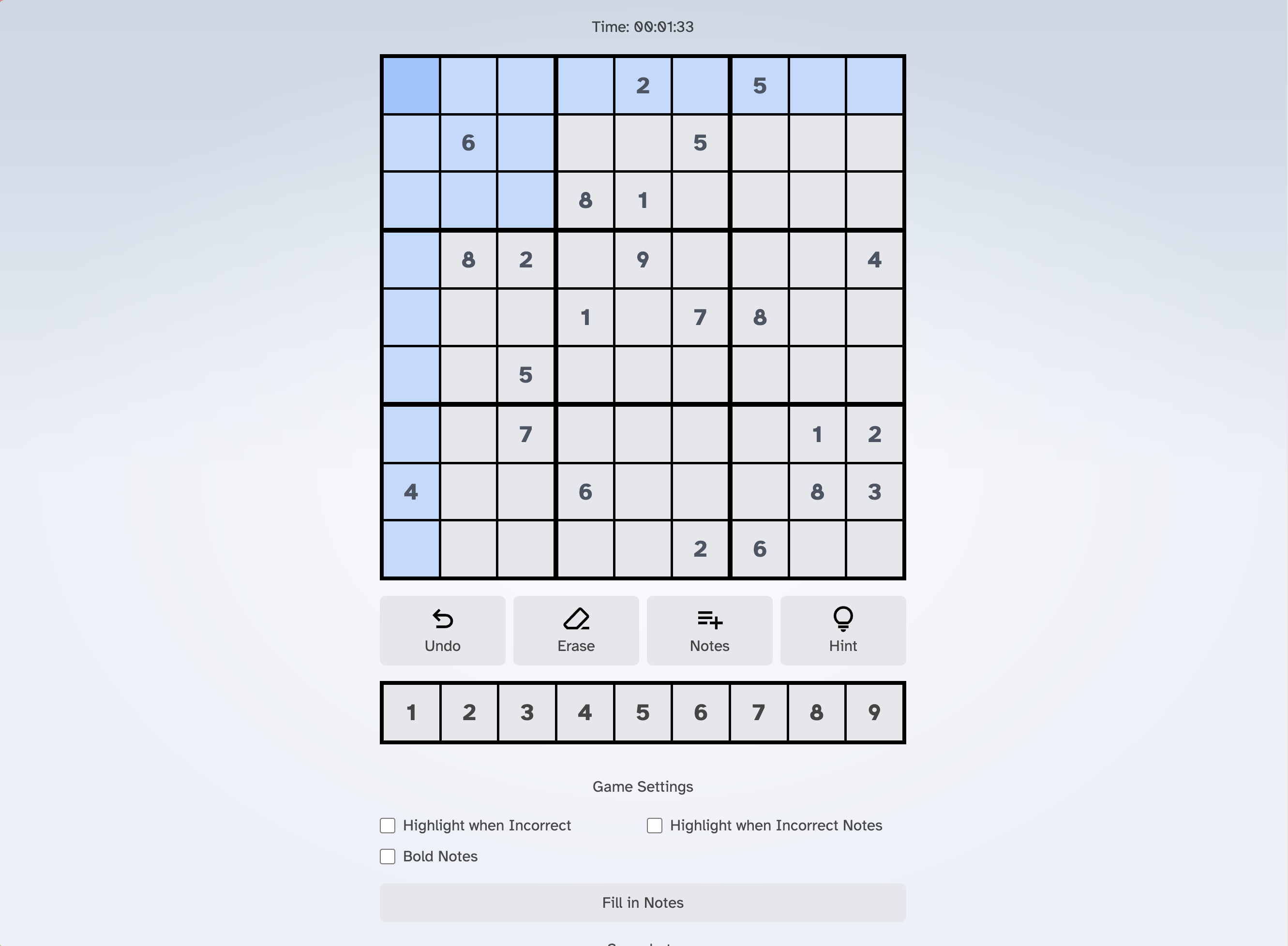
This Sudoku website was designed for a mobile-first experience, meaning that when installed using a PWA, everything is a first-class experience with inputs and menu items. I made all the buttons large and easy to tap, making the UI super touch-friendly and intuitive. But I didn’t just forget about a desktop experience, so everything is interactive with the keyboard as well. All while maintaining a distraction-free environment for puzzle-solving.

Everybody gets stuck sometimes, so I added a hint system to help without spoiling the fun! It doesn’t just give you the answer — that wouldn’t be very fun — so instead it is a multileveled hint. The first press of the hint button will suggest a set of moves to look out for, such as the hidden-square or whole-column strategies. If you can’t find any methods that work, it will suggest looking at a specific square to see what you can identify about it. On the next press of the hint button, it will fill in the necessary notes in that square. And finally, if you still can’t figure it out, you can press the hint button again, and it will give you the answer to that square.
And Sudoku can get really tough when there are multiple possible strategies for a single board configuration, and you’re not sure which to use. Well, I created a snapshot system that lets you keep track of the board’s previous states and revert to them whenever you want. This way, you don’t have to feel constrained when making decisions you aren’t confident in; instead, you can take a snapshot and come back to it if you end up going down the wrong path.
The PWA!
Now, the biggest part of the project was making it into a PWA. Originally, I had just created the website, and you could use it from your phone, but then I tried to use it offline, and I couldn’t. So the strategy now was to develop it into a PWA so that it could be installed on your phone and used offline. I used a couple of A key libraries and packages to make this happen. The first was the vite-plugin-pwa 2 package which simplified the PWA setup for my SvelteKit 3 project. The second was the workbox 4 package, which generated the service worker to load and automatically update the PWA when a new version was published.
Challenges and Learnings
By far, the trickiest part was getting the cached files to work correctly offline. Because the web app used Vite and SvelteKit to create a complex, reactive experience, not all of it could be easily translated into the PWA. However, because of workbox, it wasn’t too hard to make sure all the correct file versions were there, and workbox made it a breeze to automatically check for new versions when online. Plus, because all of this needs to work offline, all Sudoku games are stored in your local storage, so there’s no reliance on this website.
Another challenge faced during the project was ensuring the UI conveyed more information to the player to improve the Sudoku-playing experience. Because I’m focusing all my energy on designing a great Sudoku experience, I made sure that many parts of the website and the board worked together to display information based on which cells you’ve highlighted and the notes you have on your board. For example, depending on the number in the cell you currently have highlighted, it will highlight the other notes in the area, as well as highlight filled cells that already have that value. A great convenience is that when you enter a number into a cell, it automatically removes any notes that would clash with that new number. This was a big challenge because I had to ensure the information was always up to date and wasn’t just a visual cue but a real representation of the board’s current state.
Go play Sudoku at sudoku.schmitigal.com and get that !!!Key Contributions
- Developed an ad-free, user-friendly Sudoku game for web and mobile, prioritizing user experience.
- Implemented a Progressive Web App (PWA) for offline functionality and app-like installability.
- Designed a clean and intuitive mobile-first user interface for enjoyable Sudoku gameplay.
- Created a multi-level hint system to assist players without solving puzzles.