

Bouncing Ball on Your Desktop
For a while, I have wanted to learn Rust, but I never found the right project to work on. I tried some Advent of Code days with it, but didn’t feel the spark. So, when I learned Tauri apps are built with Rust, I knew I wanted to explore Tauri 1 and Rust 2 for desktop app development, and what’s more fun than a bouncing ball?
Desktop Ball, Minimal Window
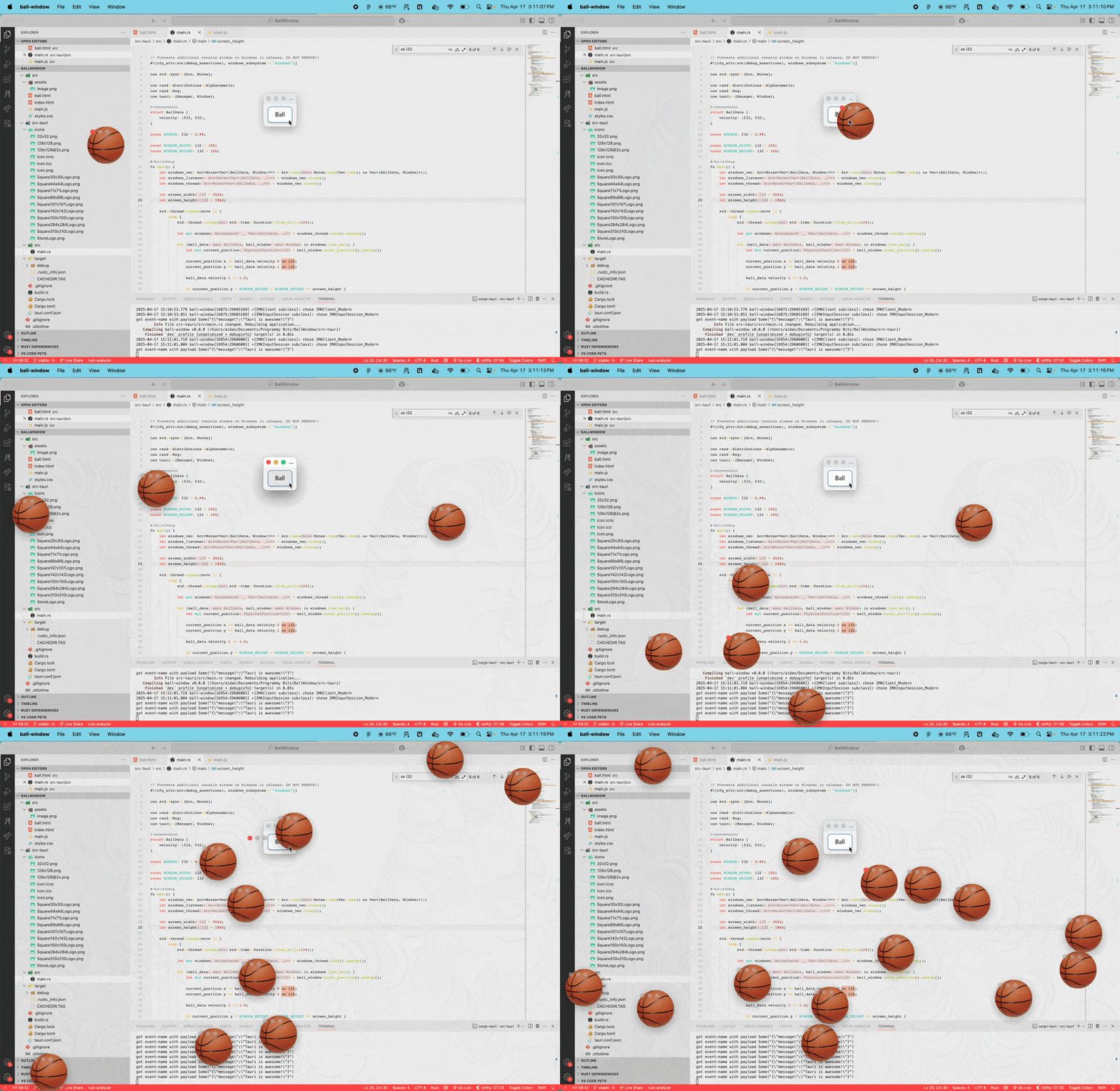
I wanted to focus on Rust programming, so I created a straightforward interface to act as the control panel. It only includes one button. This button spawns a bouncing-ball window on top of all your windows. It’s a tiny window, no decorations - just a ball bouncing around. It’s a super basic visual, but it was all about getting hands-on with Tauri’s window management and seeing how Rust performs for this kind of simulation.
The Rust simulation

Whenever the button in the control window is pressed, it sends a message to the Rust side of the program to spawn a ball. To spawn each ball, I used Tauri’s WindowBuilder API to create a window with no decoration, a transparent background, and the ball.png image. With this new window, I added it to the windows vector along with some randomized starting velocity.
let ball_window = tauri::WindowBuilder::new(&app_, random_string, tauri::WindowUrl::App("ball.html".into()))
    .inner_size(WINDOW_WIDTH as f64, WINDOW_HEIGHT as f64)
    .resizable(false)
    .maximizable(false)
    .minimizable(false)
    .transparent(true)
    .always_on_top(true)
    .title_bar_style(tauri::TitleBarStyle::Overlay)
    .hidden_title(true)
    .build()
    .unwrap();

let velocity = (rand::thread_rng().gen_range(-15.0..15.0), rand::thread_rng().gen_range(-15.0..15.0));
let ball_data = BallData { velocity };
Inside the primary function, I also spawn a thread to run the simulation. The thread loops through the windows vector and applies the velocity to each ball, as well as checking for any collisions. The ball can collide with the edges of the screen and with other balls. When a ball collides with another, the proper collision physics is applied to both balls to give them realistic new velocities and cause them to bounce off each other. After all that, the window is updated with the new ball position and velocity.
Tauri & Rust: First Impressions
This was really a “hello world” level project, but it was a great first dive into Tauri 1 and Rust 2 for desktop apps. I got to play with Tauri’s window creation and lifecycle management, and see Rust in action for basic 2D animation. It definitely sparked my curiosity to explore both frameworks further for more complex desktop projects. Sometimes, the simplest experiments are the most insightful.
Key Contributions
- Explored Tauri and Rust for desktop application development through a “Bouncing Ball” experiment.
- Gained initial experience with Tauri’s window management and Rust’s performance for UI animation.
- Created a playful desktop application demonstrating desktop window manipulation and basic animation principles.