
Water Playground Simulation
For a recent school project, I wanted to push my boundaries and dive into the world of real-time 3D web graphics. The result? This Water Playground Simulation. Its an interactive, web-based 3D water simulation where you can splash, play, and even make it rain! And the coolest part? It’s all powered by compute shaders!
Interactive Water in Your Browser
This is a virtual pool right in your browser. With the Water Playground Simulation, you can interact with a dynamic water surface, create ripples with your mouse, add toys that bob and float, and even trigger a rainstorm!
The whole site is built on a foundation of powerful web graphics technologies: Three.js 1 for the core 3D rendering, Threlte 2 for seamless SvelteKit 3 integration, and GLSL compute and fragment shaders for the real-time water simulation and visual effects.



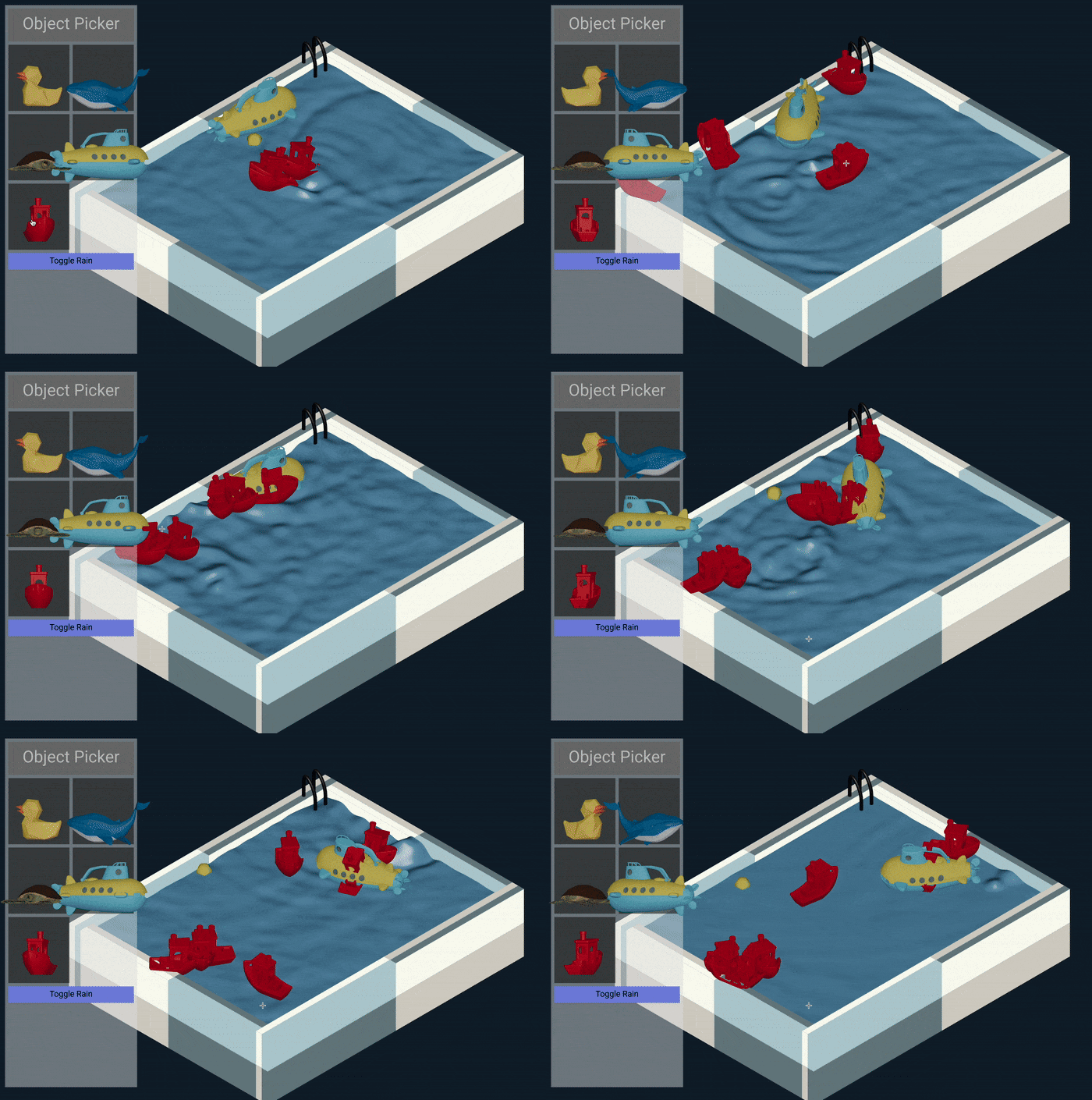
Splash, Play, and Simulate!
The Water Playground Simulation is packed with interactive and visual features:
Real-time Water Ripples with Compute Shaders
At the heart of this project is a real-time water simulation driven by a WebGL compute shader. This shader runs directly on the GPU, enabling high-speed water simulation and rendering. The dynamic water surface reacts realistically to interactions, creating mesmerizing wave patterns and ripples.
To create the compute shader that drives the water simulation, I started by searching online. I found a few great examples of people doing something similar. I found this WaybackMachine page 4 that discussed the process of simulating waves using buffers. It was a great starting point, and I was able to modify it to fit my needs. Later in the process, I found this ShaderToy example 5 that demonstrated how to create the fragment shader for the water. In the end, I didn’t use any refraction or transparency in my shader because the pool tile texture I chose looked pretty bad, and it didn’t look good underwater. Instead, I used simple Blinn-Phong 6 shading to make the water look like a blue liquid.
Interactive Ripple Generation
Next, making it interactive! Simply moving your mouse over the water surface creates interactive ripples. Watch as the ripples spread outwards, bounce off the edges of the pool, and spin the toys around!
To make this work, I needed to communicate between the browser, the Three.js 1 scene, and the compute shader. To capture the mouse position, I used a mouse event listener. When the mouse moves, I cast a ray from the camera in the scene to the mouse position. If and when the ray hits the water surface, I use that position to calculate the ripple’s coordinates in the water’s coordinate system. Then I updated the uniforms of the shader with the new ripple position and sent it to the GPU. On the next frame, when the water renders, it will create the ripple at the new position.
Physics-Based Toy Interactions
I also wanted to add some playful elements to the scene. The simulation lets you drop in various 3D toys into the water, like rubber ducks, submarines, flamingos, and more. These toys are physics-based and float, bob, and react realistically to water ripples, adding another layer of visual interest and interactivity.
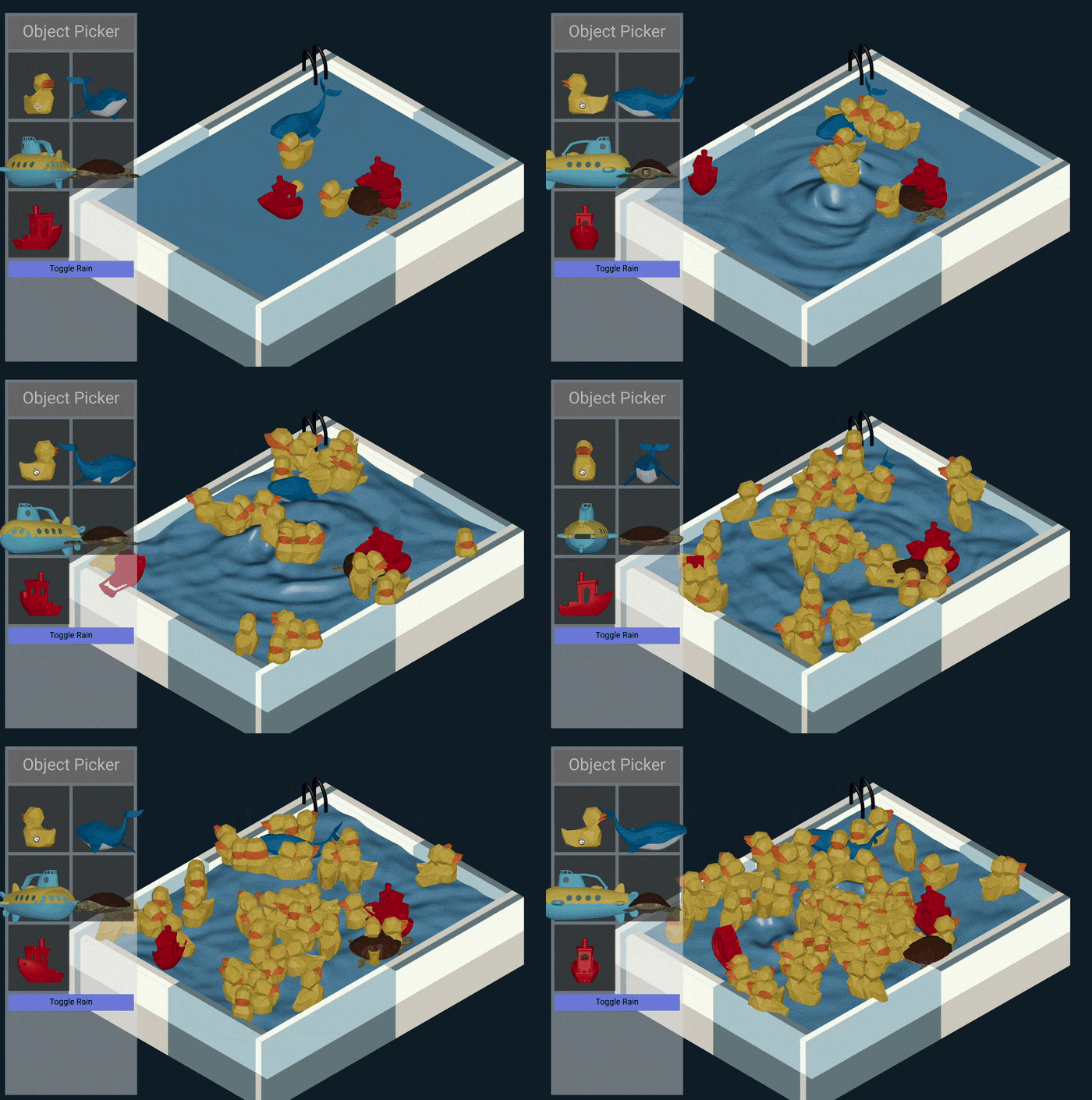

Dynamic Rain Effect
The last visual element I wanted to add is rain. You can toggle the rain effect and watch as particle droplets fall from above, each one generating ripples upon contact with the water surface. The rain effect creates a visually rich and dynamic scene, transforming the water playground into a miniature storm.
This was the easiest part of the whole project. I used Three.js’s 1 particle system to create the raindrops, and then checked when they hit the water surface to generate ripples. Just like the mouse position tells the shader where to put the ripples, this uses the same variables to put ripples where the raindrops fall.
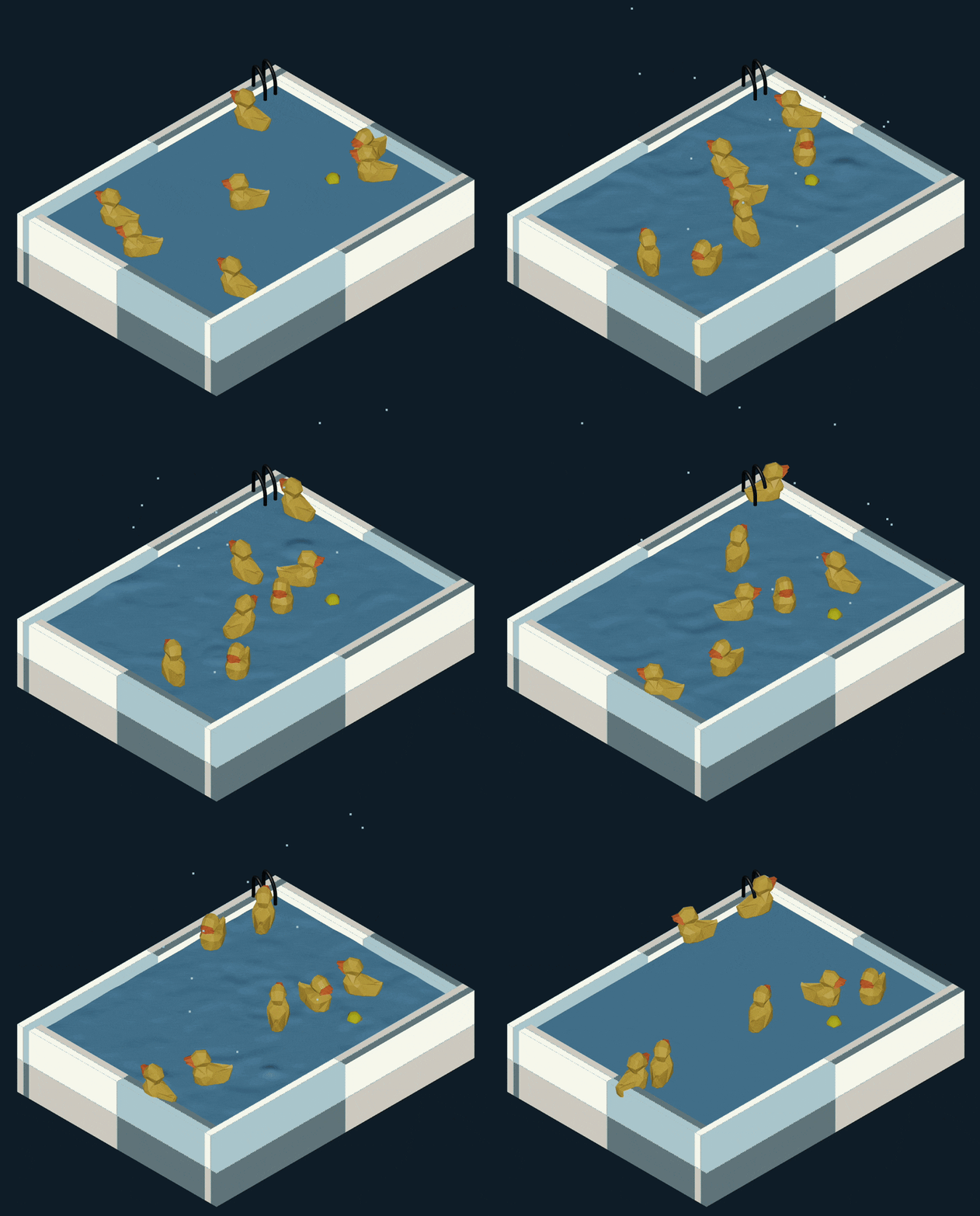
Websocket-Based Multiplayer
For an extra layer of fun, the simulation includes websocket-based multiplayer functionality. Connect with others online and interact in the same virtual water environment. You can see ripples created by other users and share the playful experience in real-time. All the objects that you add to the pool will be added to everyone else’s pool, too! And when you move your mouse to create ripples, everyone will see them.
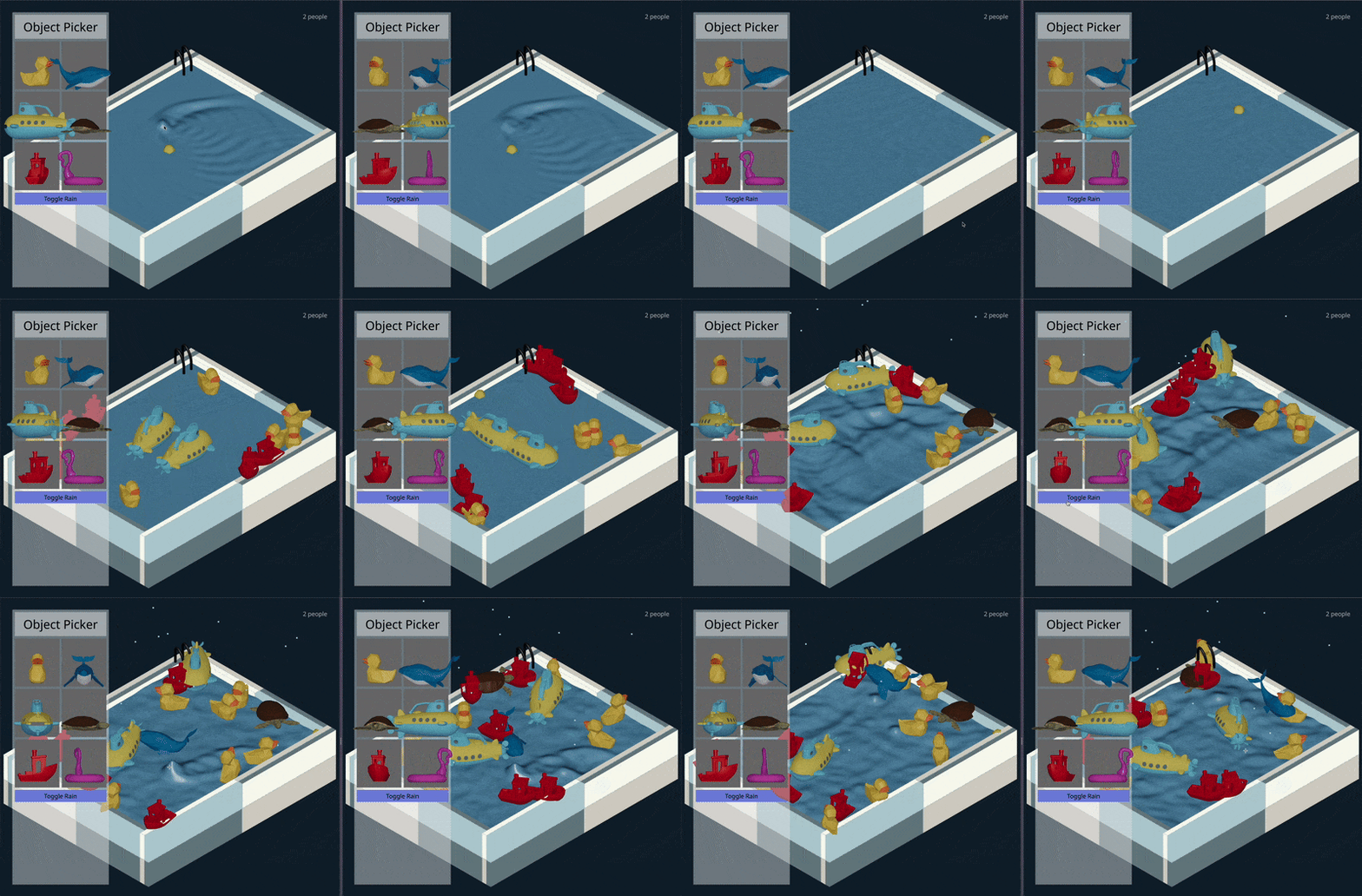
The only downside … everything is still client-side, so it gets out of sync very quickly …
Challenges and Learnings: Diving into Compute Shaders!
This project was a fantastic learning experience, especially as it was my first time venturing into the world of compute shaders! Here were the main challenges and key takeaways:
Learning to harness the power of compute shaders for real-time water simulation within Three.js 1 was a steep but incredibly rewarding learning curve. I gained significant experience in 3D web graphics development, GLSL shader programming (both compute and fragment shaders), and some real-time simulation techniques, all within a tight 3-day timeframe.
Implementing even basic WebSocket communication for multiplayer interaction added another layer of complexity. I explored the fundamentals of client-server communication using these websockets and experienced the challenges of real-time data synchronization in web applications. That’s why, in the end, it still doesn’t do cross-client synchronization.
Key Contributions:
As the solo developer, I took the Water Playground Simulation from initial concept to interactive reality.
- Conceived, designed, and developed the entire Water Playground Simulation web application as a school project, showcasing advanced 3D web graphics techniques.
- Developed a custom GLSL compute shader for real-time water ripple simulation and a GLSL fragment shader for visually realistic water rendering within Three.js.
- Implemented interactive features including mouse-driven ripple generation, physics-based toy interactions, and a dynamic rain effect.
- Integrated websockets for a basic multiplayer experience, enabling shared interaction with the water simulation across multiple users.
- Designed the user interface for adding toys and controlling rain effects using Threlte’s 3D UI components and Tailwind CSS for styling.