
Simple Timeline: My First iOS App
This project is deeply personal because it’s my very first iOS app! When I got to college, I missed the LCHS Go Bell Schedule 1 . I needed one for my college classes and a super quick way to see my schedule without unlocking my phone and opening a calendar app. So, I built Simple Timeline! An iOS app with widgets that puts my class schedule right on my lock screen and home screen. It’s been a game-changer for my time management, and every moment spent learning iOS development to build it was absolutely worth it!
At-a-Glance Schedules, Right on Your iPhone
Simple Timeline is all about speed and convenience. It's designed to give students like me an instant, at-a-glance view of their class schedules directly on their iPhones and iPads. The best way to do this, of course, is with Widgets!The core of Simple Timeline’s utility lies in its widgets:
Lock Screen Widget: Schedule at a Glance
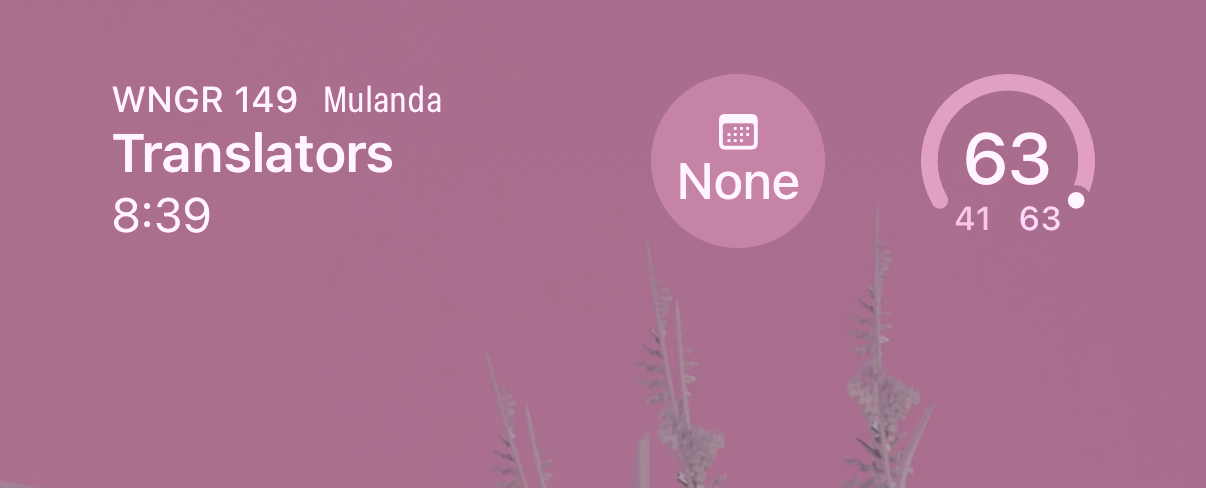
The Lock Screen Widget is the real time-saver. It persistently displays information about your upcoming or current class right on your lock screen. See the time until or remaining in class, the class name, and the location all without even unlocking your iPhone.
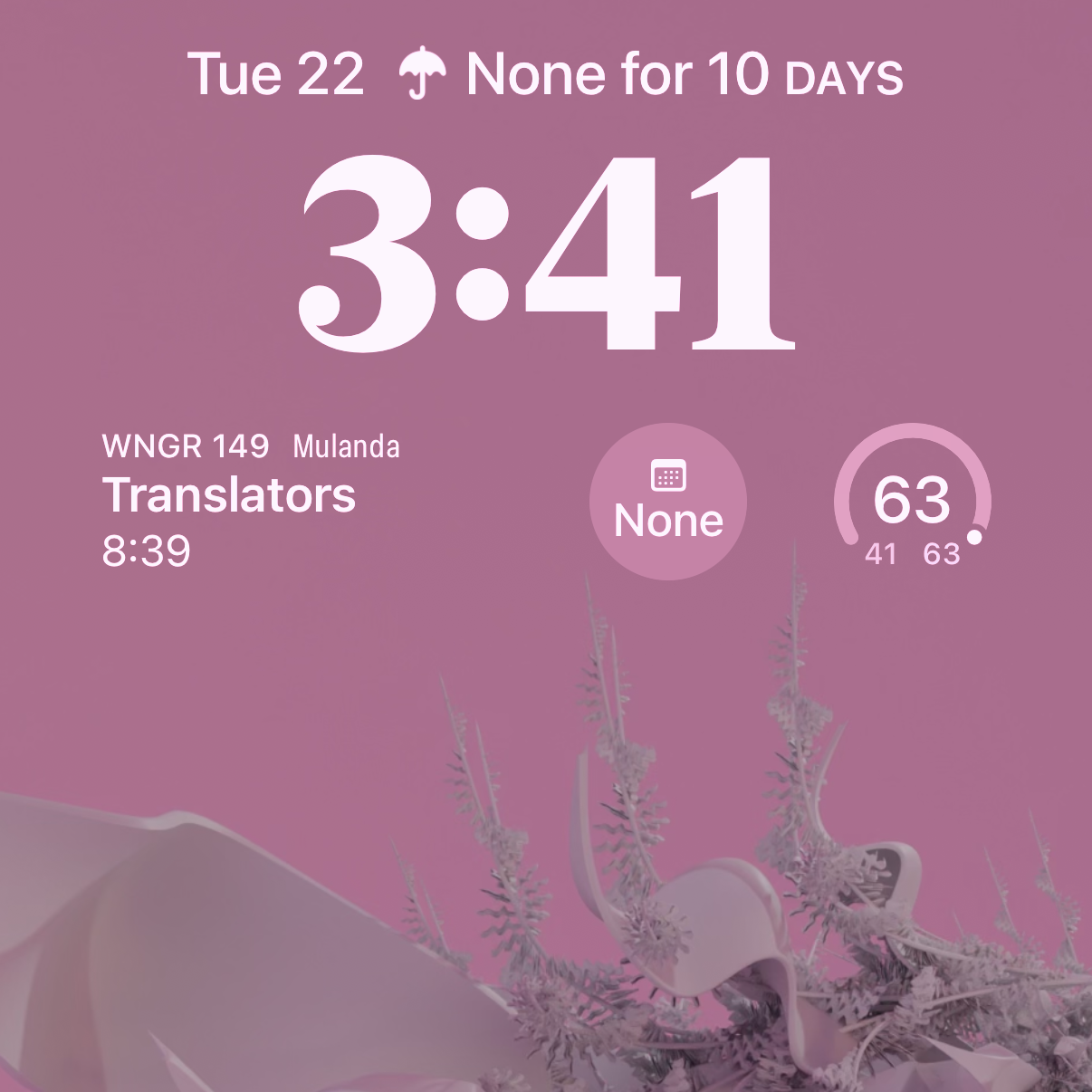
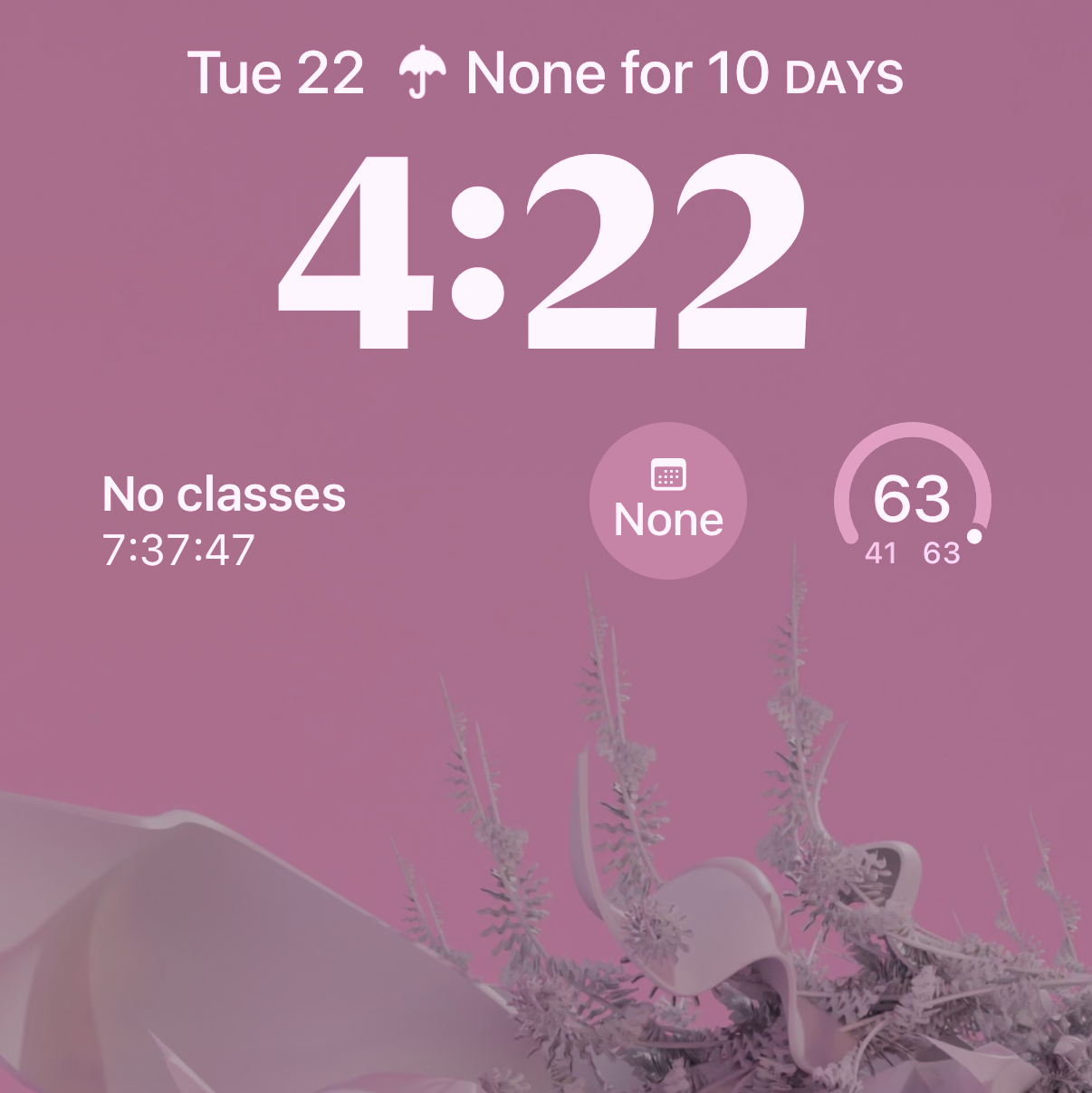
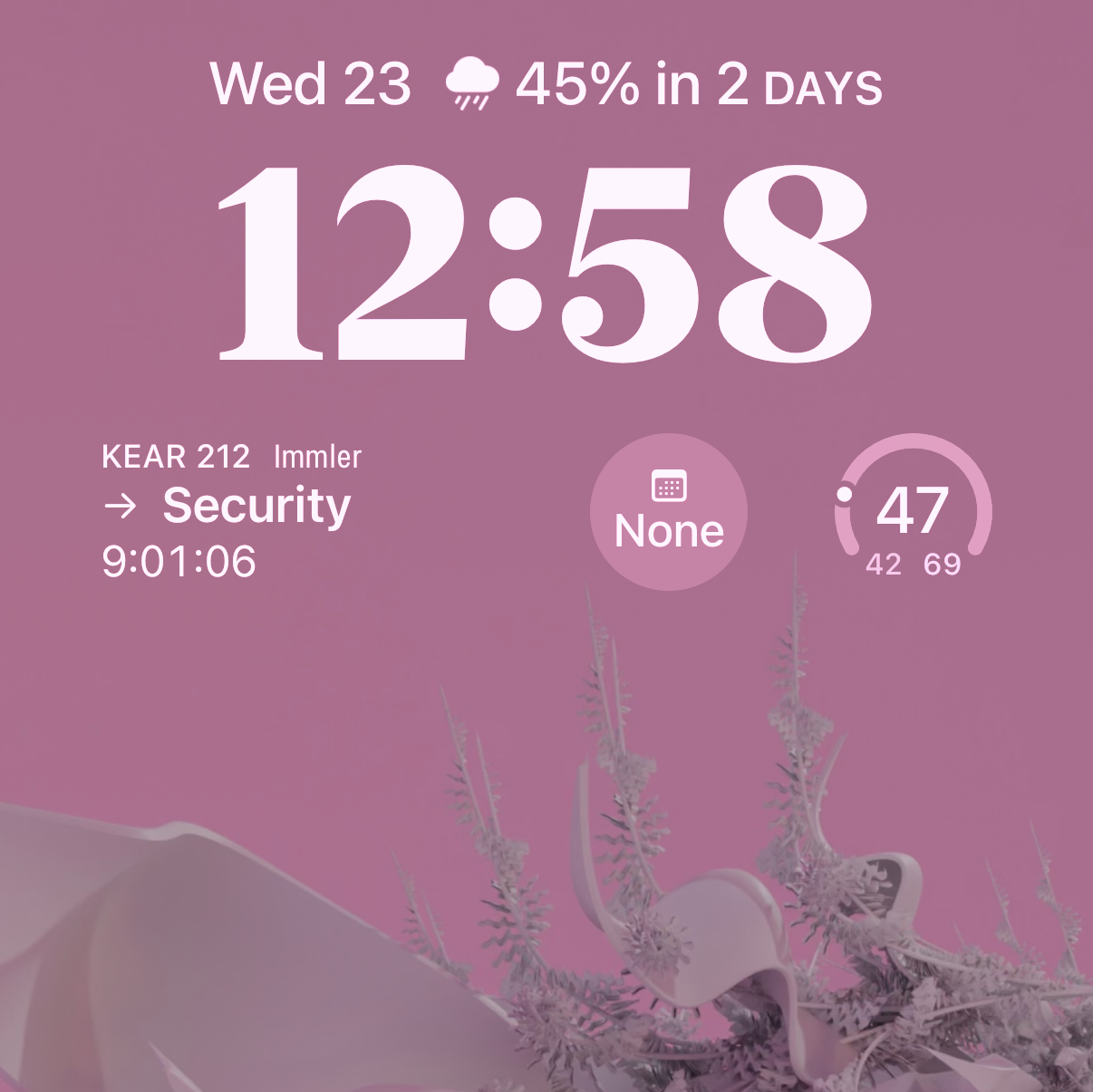
Want to know how I created that wallpaper? Check out my Procedural Plants Wallpaper Generator 2 project!
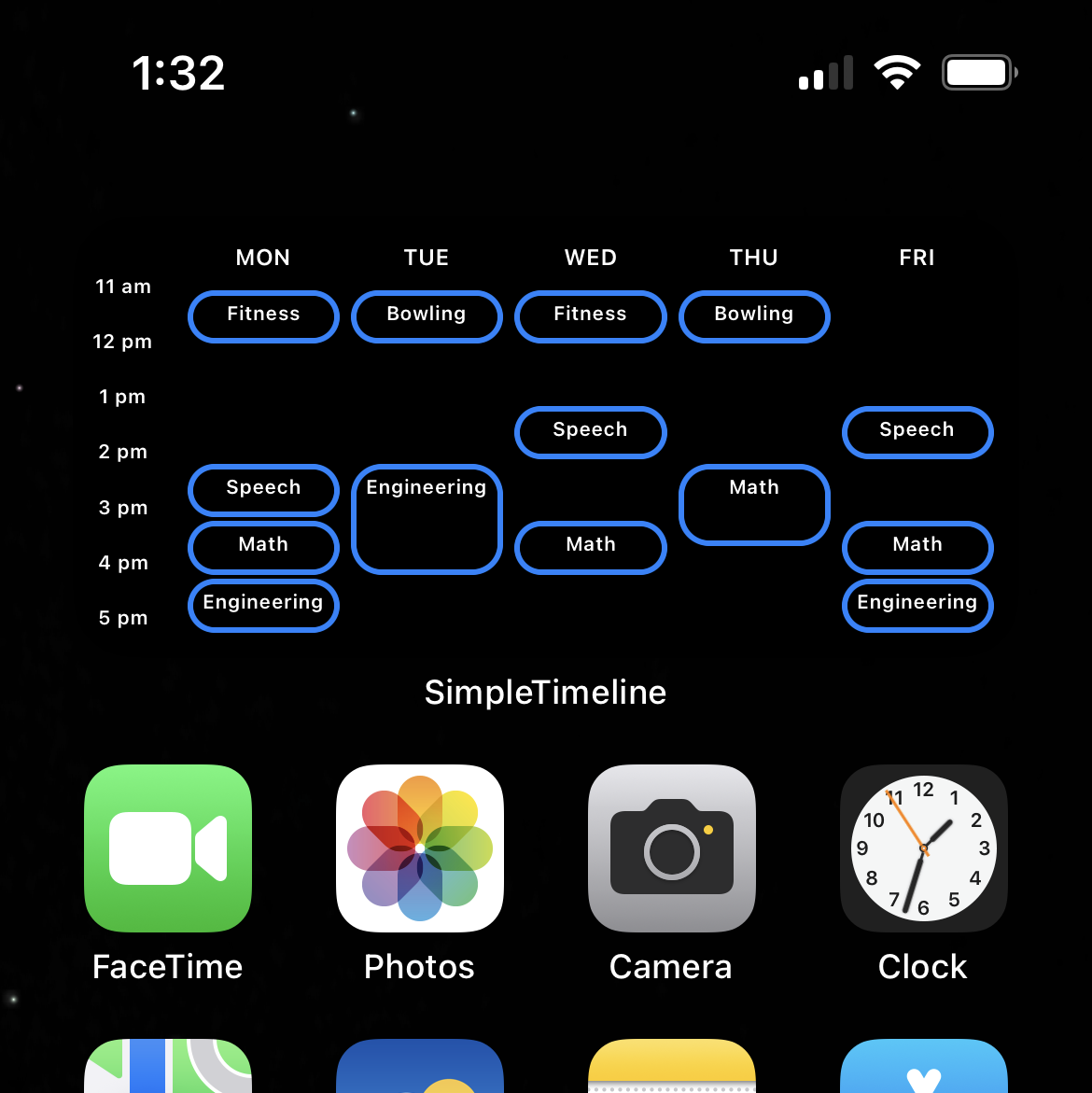
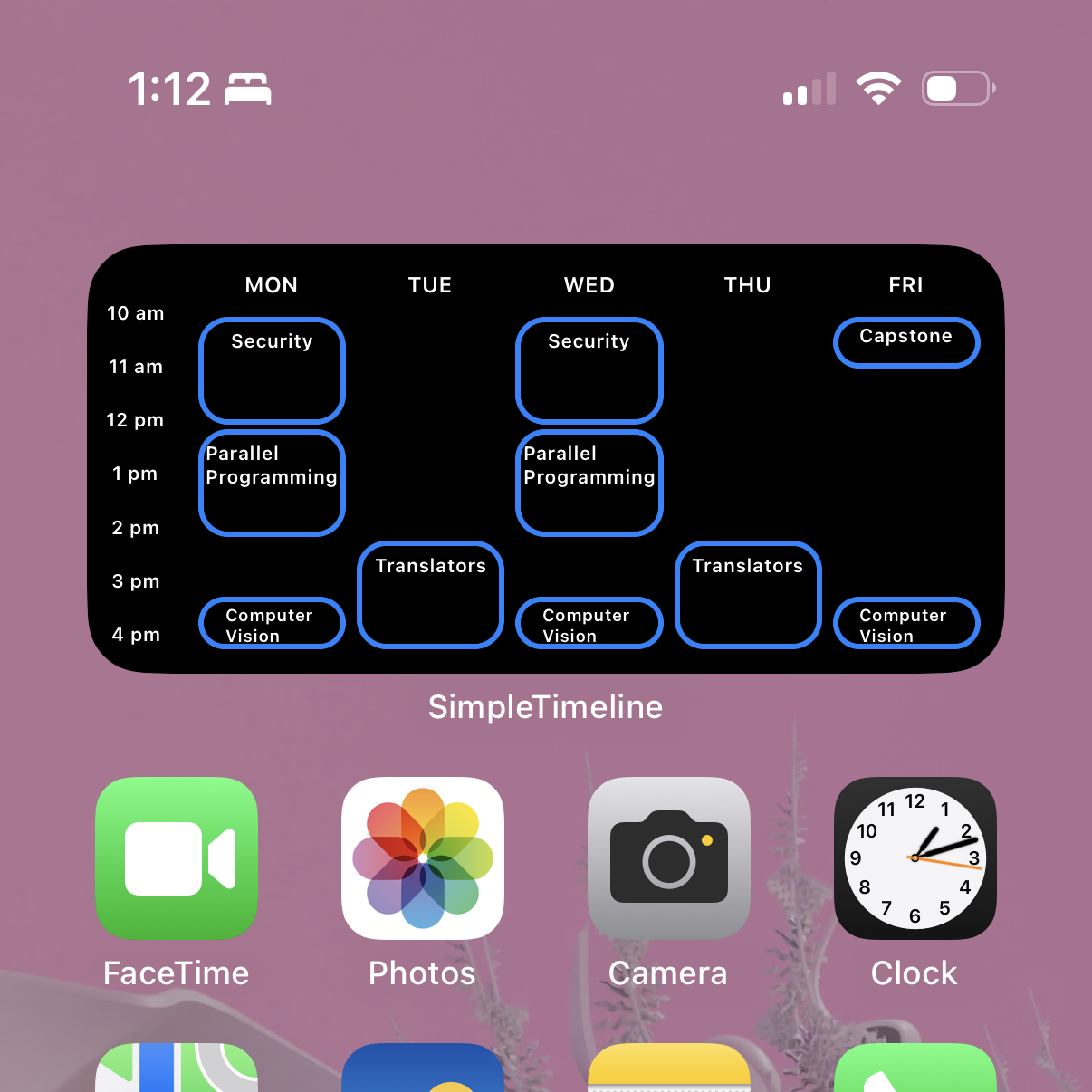
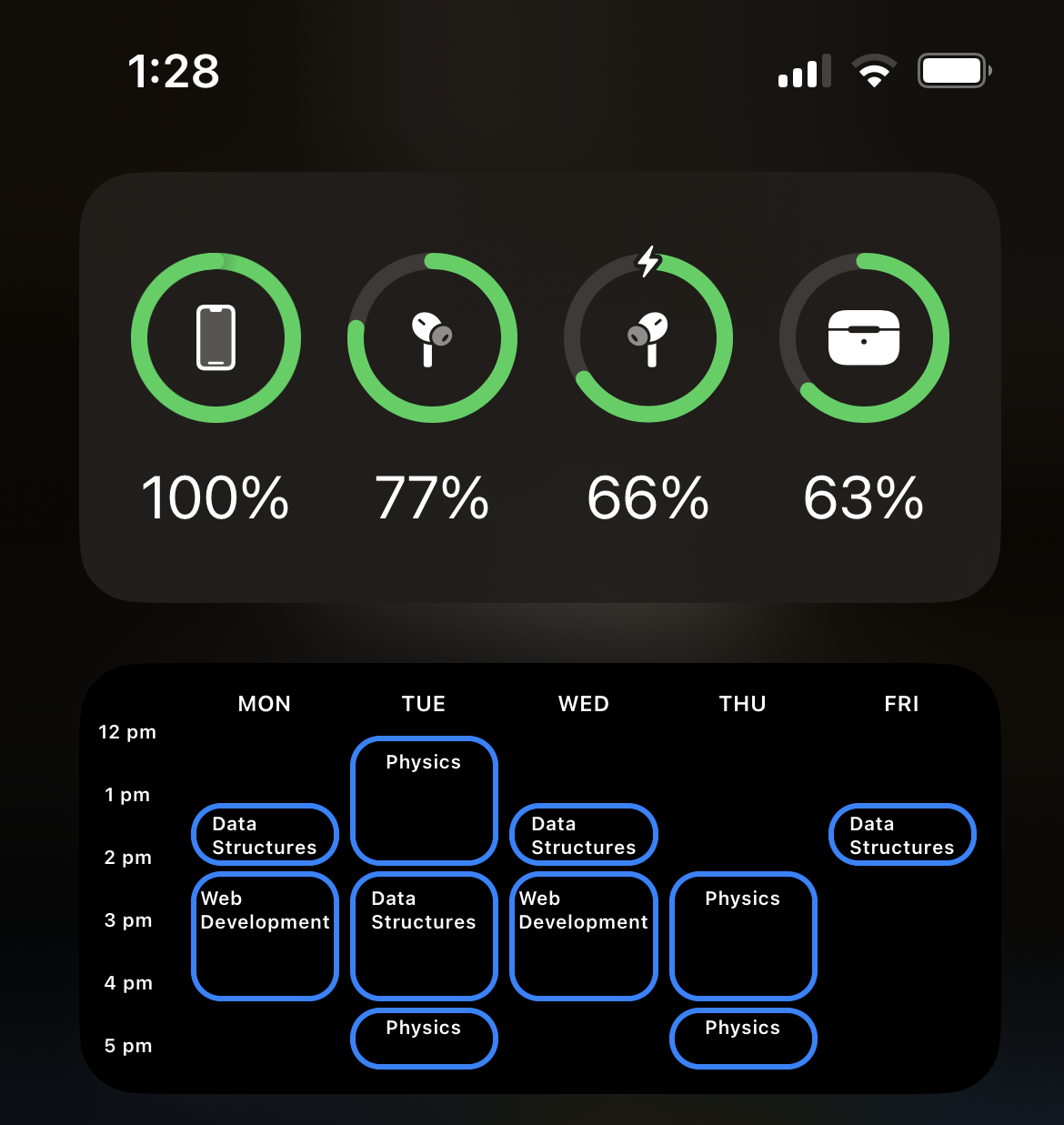
Calendar Widget: Schedule Overview on Home Screen
For a broader view, the Calendar Widget provides a visual overview of your entire class schedule directly on your home screen. Here you can quickly identify class times, see free slots, and plan your day with a glance :)
Intuitive Schedule Input UI
Of course, you need to input your schedule! The main app itself features an intuitive user interface for adding and managing your classes. Designed for simplicity and efficiency, it makes scheduling a breeze.
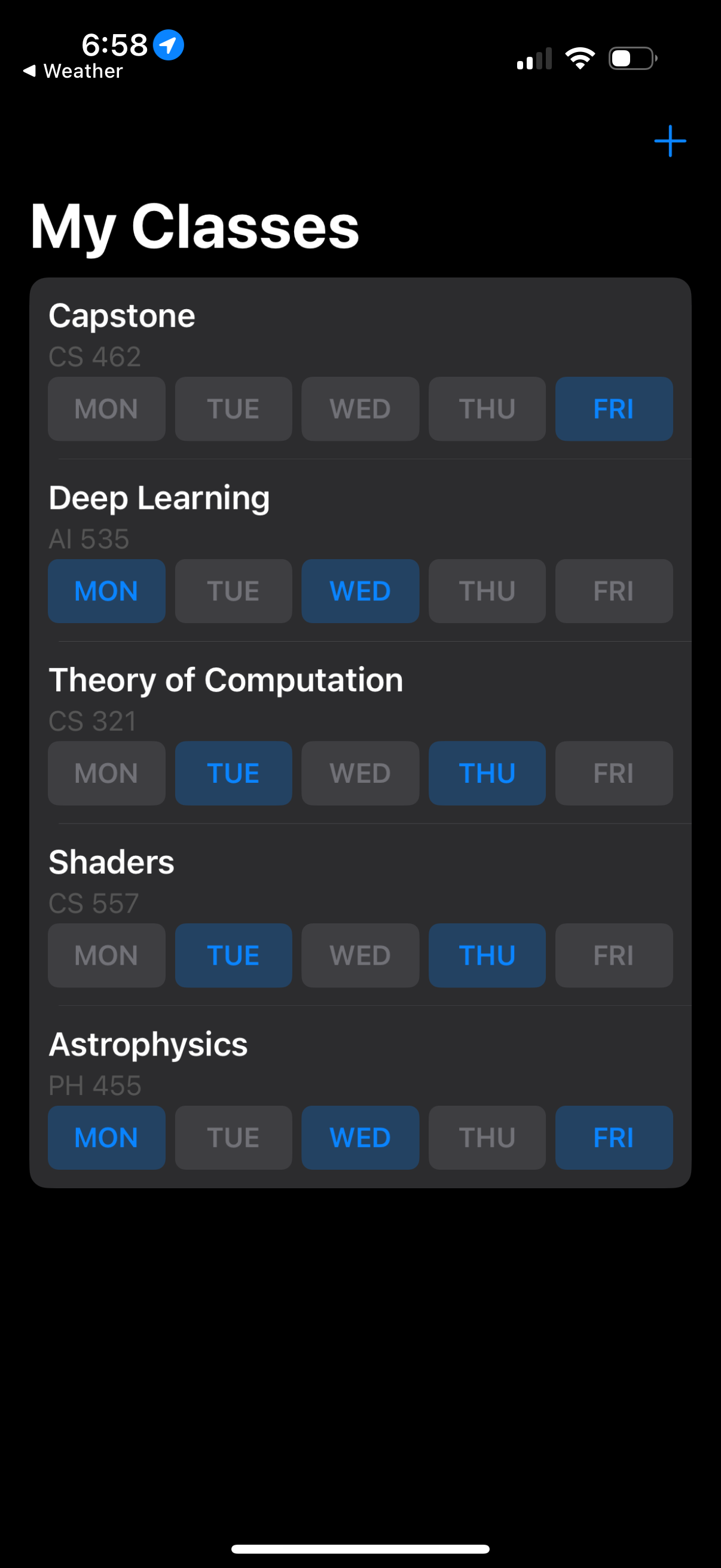
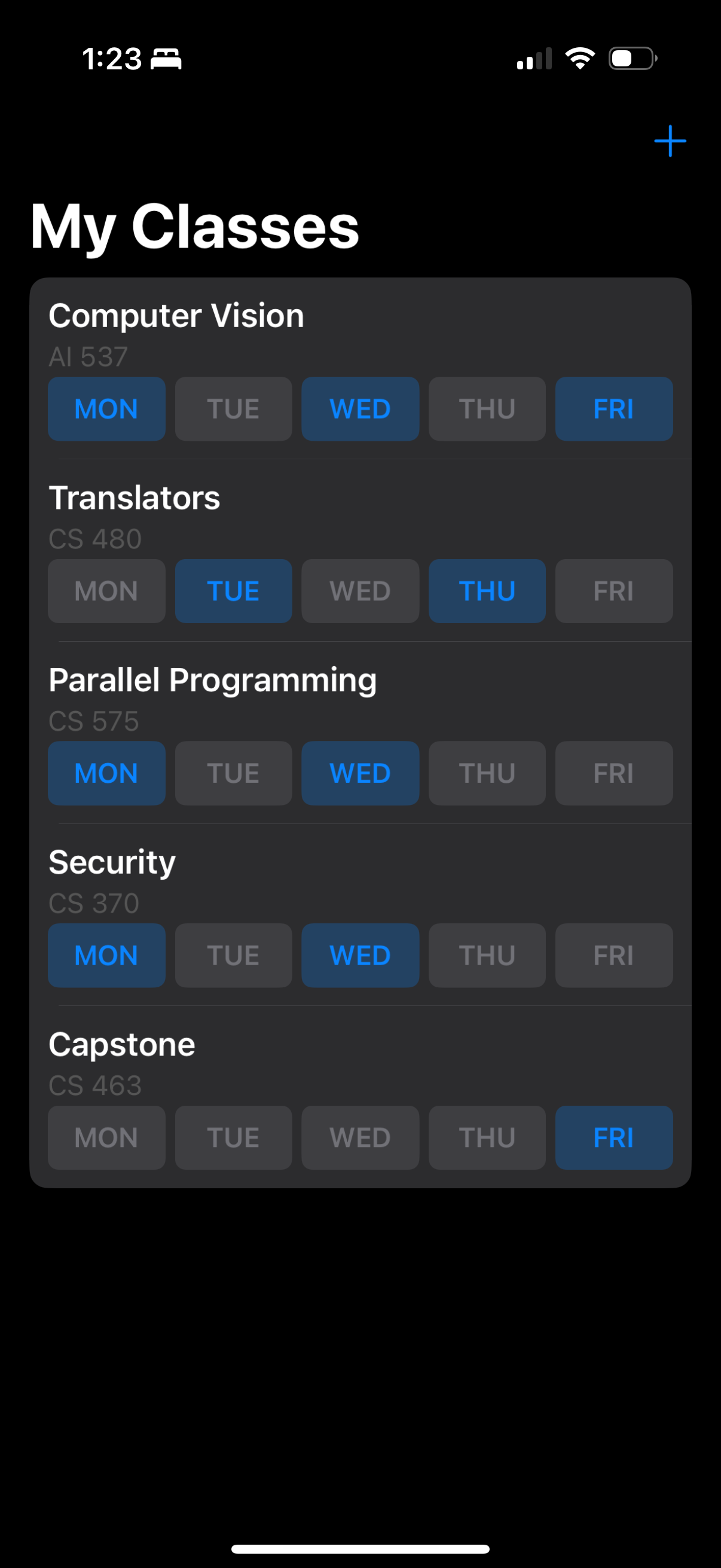
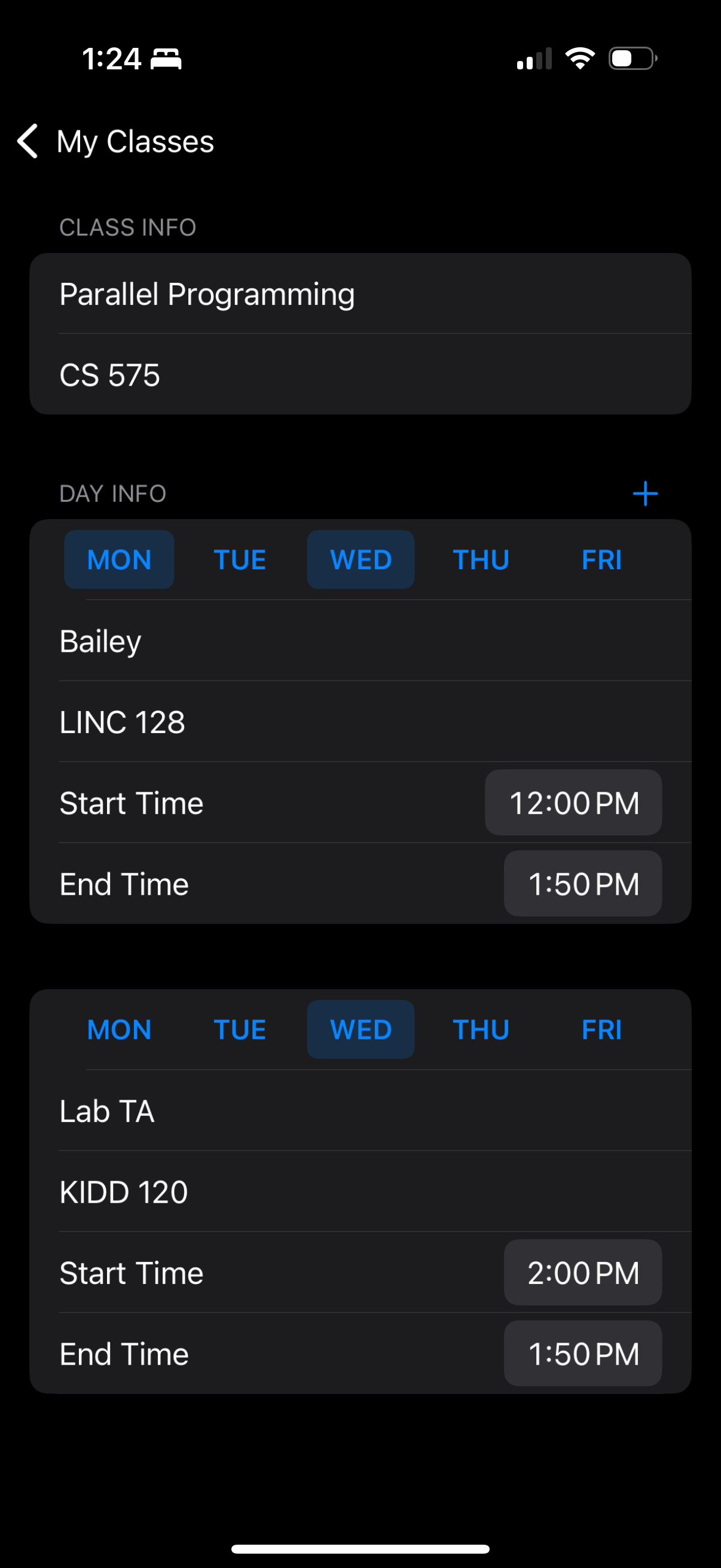
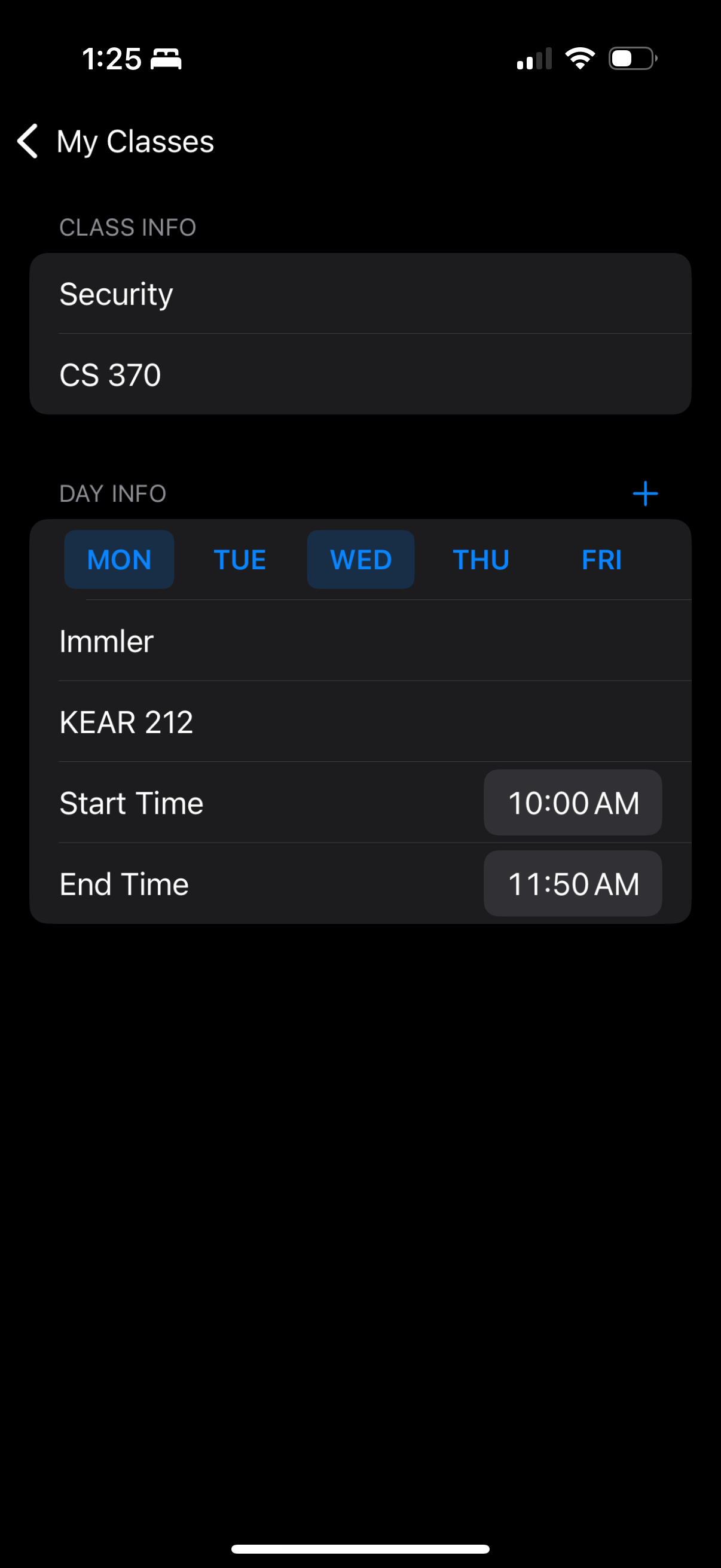
For each class, you add an entry in the list. For each class, you can add different class sections and assign them to other times and days of the week.
Built with Swift and Storyboard
As my first foray into iOS development, I learned a ton building Simple Timeline. I used Swift 3 for the app’s logic and a hybrid approach combining Storyboard 4 and programmatic UI with UIKit 5 .
The widgets themselves are built using iOS App Extensions, and data is stored using standard iOS Data Storage with JSON serialization to share data efficiently between the app and its widgets.
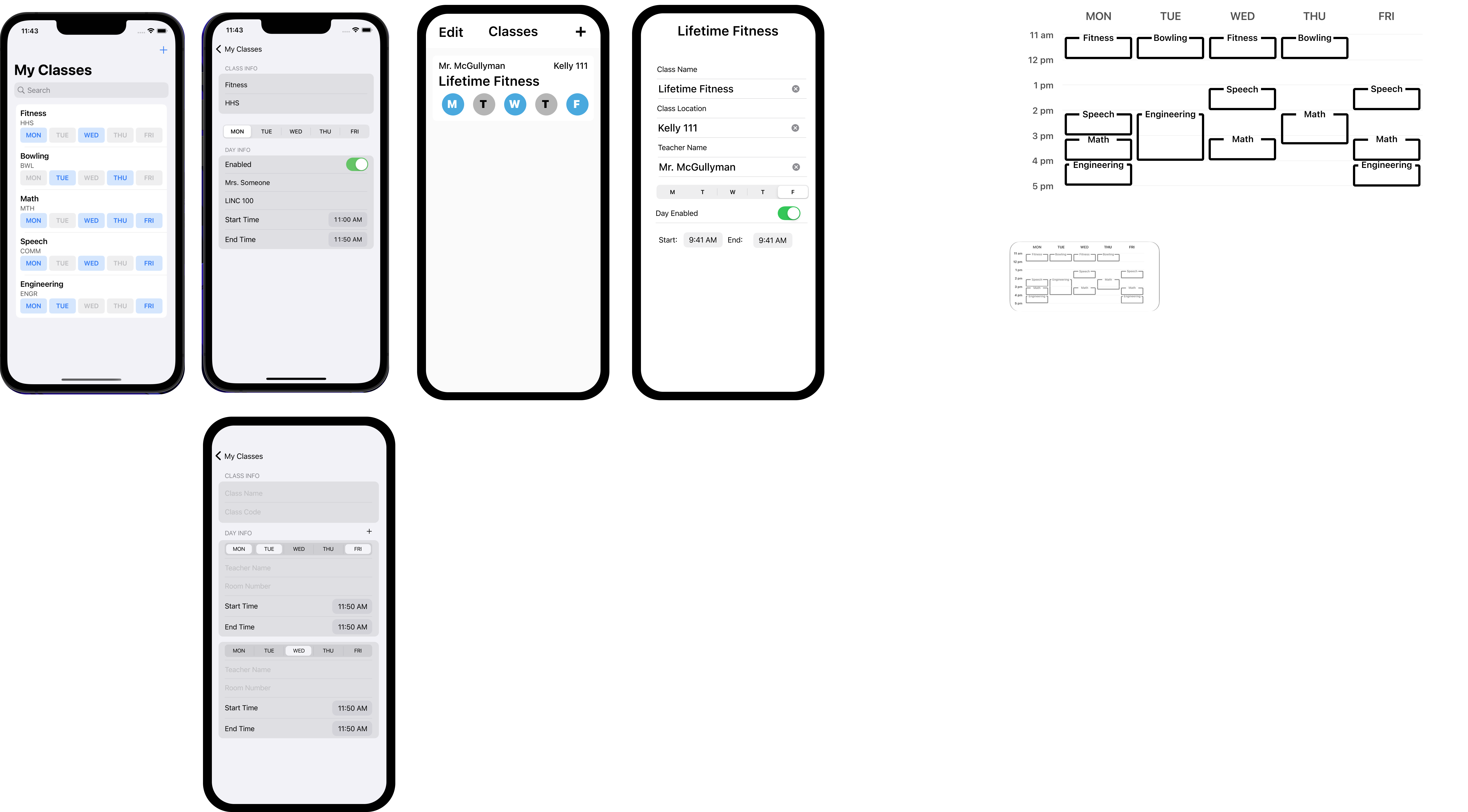
Challenges and Learnings: My iOS Development Journey
Building my first iOS app was a rewarding challenge! Here are some of the key hurdles and lessons learned:
Figuring out iOS widget development and how to effectively share data between the main app and its widgets was a significant learning curve. I gained valuable experience in iOS widget development, understanding app extension architecture, and implementing interprocess communication in iOS using JSON serialization to overcome data access limitations.
Handling dates, times, and especially time zones in Swift and iOS presented some initial complexities. I developed iOS date and time handling and gained experience in time zone management, 24-hour time formats, and accurate time duration calculations. Also displaying times in Swift, even across day boundaries and during daylight saving time.
As a first-time iOS developer, navigating the iOS UI development ecosystem with Storyboard 4 and programmatic UIKit 5 was a new and exciting experience. Acquired foundational skills in iOS UI development using both Storyboard 4 and UIKit 5 , gaining a deeper understanding of iOS UI design principles and the overall iOS app development lifecycle.
Key Contributions:
- Conceived, designed, and developed the entire Simple Timeline iOS application as a personal utility tool for class schedule management, demonstrating end-to-end iOS app development skills.
- Designed and implemented both calendar and lock screen widgets to provide users with convenient, at-a-glance schedule information directly on their iOS devices.
- Developed a user-friendly interface within the main app for efficient class schedule input and management using Storyboard and Swift.
- Implemented a data serialization and sharing mechanism (JSON serialization) to enable data persistence and communication between the main app and its widgets, overcoming iOS widget data access limitations.